
Buying Guides
How Many Prop Laptops Does a Showroom Need?
How many prop laptops does a showroom need? Count desk settings, not stores — with a worked example for single stores and multi-store rollouts.
How Many Prop Laptops Does a Showroom Need?
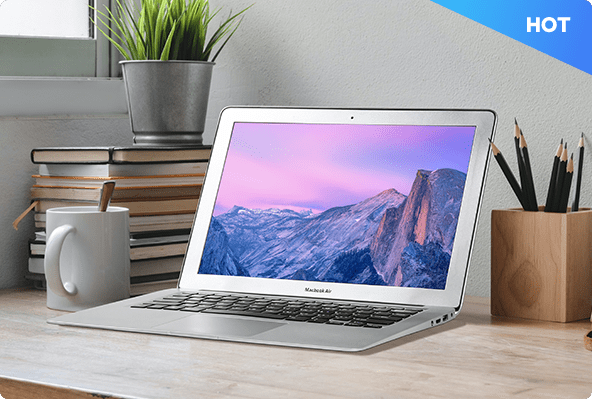
A desk without a laptop does not read as a workspace. Customers see the desk, but they do not picture themselves working at it. One 13.3-inch prop laptop fixes that — and it is the smallest, simplest display prop in a showroom.
So how many do you need? Count desk settings, not stores.
Step 1: Count desk settings, not stores
Walk one typical store and list every desk that should look like a workspace: Home-office desk in the living-room or office area; Bedroom study corner; Office workstation or meeting corner; Compact apartment desk.
A store with three desk settings needs three prop laptops, even if two desks show the same finish. Counting "one laptop per store" leaves desks empty — and an empty desk is the first thing a visitor notices.
If stores differ, group them into two or three store types (large, standard, compact) and count desk settings for each type separately.
Step 2: One laptop per desk setting, in the right finish
Our prop laptops come in one size — 13.3 inches — and three finishes: silver, black and white. Choose the finish by the furniture, not by habit: Silver for modern desks, light wood, white surfaces and mixed-material interiors. The most versatile finish when one approved model has to appear across different room settings. Black for executive offices, dark wood, walnut and charcoal furniture, where a stronger contrast suits the room. White for light, airy interiors and Scandinavian-inspired settings.
Keep the finish consistent within one store type. A chain that uses silver in one store and black in the next, for the same desk, has no standard — and no standard means every reorder becomes a new discussion.
Step 3: Worked example — a 10-store rollout
Take a standard store with three desk settings: 1 x silver — home-office desk; 1 x black — executive workstation; 1 x silver — bedroom study corner.
That is 3 laptops per store. Across 10 stores, the base quantity is 30 laptops: 20 silver, 10 black.
Then add spares. One spare per finish for the whole rollout is a practical minimum — a damaged laptop in one store should not leave a desk empty while a replacement ships. That brings this example to 32 laptops in total.
If your stores are not identical, run the same calculation per store type and add the types together. Do not average the store types into one "typical" store; the average hides the stores with the extra workstation.
Step 4: Sample first, then order in bulk
A prop laptop is a low-risk first order: small, light, and easy to ship. The recommended process is the same as for our other display electronics: Sample → Evaluation → Approval → Standardization → Project Supply.
Order one sample in the finish you plan to standardise on. Check it against the real desk: does the 13.3-inch format sit naturally on the surface? Does the finish match the furniture? Once the sample is approved, the bulk order is just multiplication — 1–9 units at standard terms, 10 or more at bulk terms.
Step 5: What to put in your RFQ
When you request a quote, list the quantity per finish — not just a total. A clear RFQ includes: quantity for each finish (silver / black / white), per store type; delivery addresses and timing per store or region; how spares should be handled; whether the order combines with other display electronics, such as dummy TVs for the same rollout.
A supplier can quote accurately from that list. A single total number ("about 30 laptops") always comes back with questions.
Three mistakes to avoid
- Ordering one laptop per store. Count desks, not stores — a store with three desk settings needs three laptops.
- Mixing finishes without a standard. Silver in one store and black in the next, for the same desk, is not variety. It is the absence of a standard.
- Forgetting spares. Prop laptops are light and easy to move, which also means they get moved, bumped and occasionally damaged. Budget the spares in the first order, not as an emergency reorder.
A simple checklist
List every desk setting in a typical store. Assign one laptop per desk setting, in the finish that matches the furniture. Multiply per store type, then add the types together. Add one spare per finish. Order a sample first, approve it, then place the bulk order. Send the RFQ with quantities per finish, delivery details and spares.
Get the quantities right once, and every desk in the rollout tells the same story — no empty desks, no mismatched finishes, and no second emergency order.