
Oct 15, 2026Showroom & Staging
Multi-Store Furniture Showroom Rollout | Prop Electronics for Retail Chains
Standardize prop TVs and display electronics across multiple furniture showrooms with a scalable system for new-store openings, remodels, regional rollouts and ongoing replenishment. Build one display
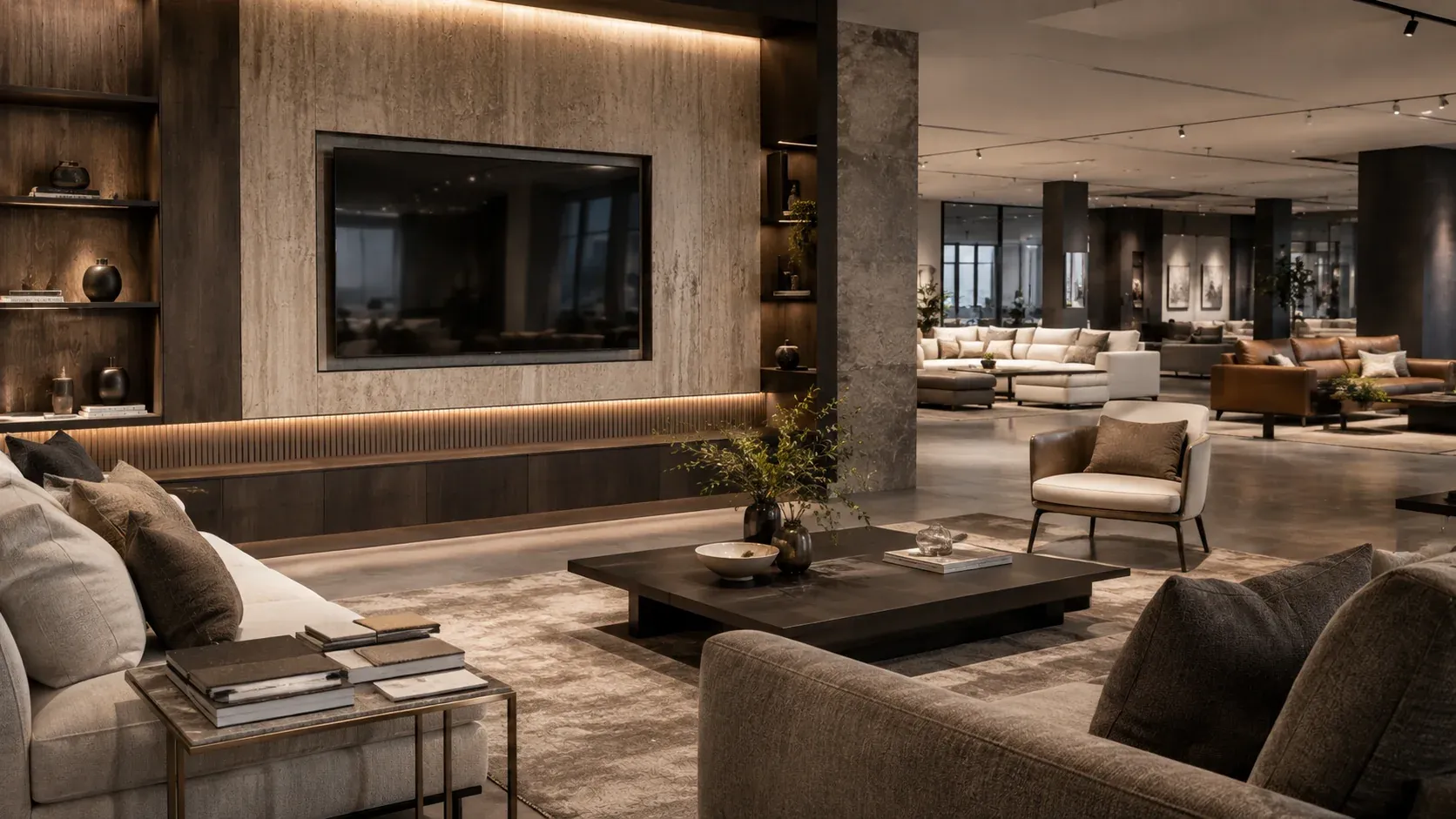
Prop Electronics for Multi-Store Furniture Showroom Rollouts
Opening one furniture showroom is a design project.
Opening 20, 50 or 100 locations is an operational system.
As furniture retailers expand, the challenge is no longer simply choosing the right television or staging accessory for a single room.
The challenge becomes consistency.
Different stores may use different TV sizes.
Local teams may purchase different electronics.
Screen graphics may vary.
Power cables and devices may be managed differently.
Replacement products may not match the original display.
New stores may open faster than central teams can standardize every detail.
DummyDevices helps furniture retailers create a more repeatable approach.
Our prop TVs, prop laptops, tablets, computers and other non-functional display electronics can be configured as part of a standardized showroom program for new stores, remodels, regional rollouts and ongoing visual merchandising refreshes.
The goal is simple:
One display standard. Every store.
When 5 Stores Become 50, Consistency Gets Harder
A television in a furniture showroom may look like a small detail.
Across a growing retail network, that small detail becomes a system.
A single location may be able to source and arrange display electronics locally.
But as the number of stores increases, retailers begin to face questions such as:
- Which TV size belongs in each room type?
- Should living-room displays use the same screen proportions across locations?
- Who controls screen graphics?
- How are replacements matched to the original specification?
- Should local stores purchase their own televisions?
- How are new stores supplied before opening?
- How much replacement stock should be held?
- Can multiple screen sizes be shipped together?
- How are remodels and seasonal showroom resets handled?
Without a standard, small differences accumulate.
One showroom uses a 55-inch TV.
Another uses a 65-inch TV.
A third installs a real television with cables and visible power requirements.
Over time, the visual identity of the retail network becomes harder to control.
For a multi-store furniture retailer, showroom consistency is not only a design issue.
It is an operational issue.
Retailers planning multiple room settings can use our Prop TV Size Guide to establish clearer size rules before rolling those decisions out across multiple locations.
Built for Furniture Retail Networks
DummyDevices prop electronics are designed for staged environments where visual realism matters, but electronic functionality does not.
They can be used across:
- Furniture retail chains
- Regional furniture groups
- Multi-location showrooms
- Franchise and dealer networks
- New-store opening programs
- Showroom remodels
- Seasonal floor resets
- Design centers
- Furniture galleries
- Model-room environments inside retail stores
Because the products are intentionally non-functional, retail teams can create believable room scenes without adding another category of powered equipment to manage.
There is no need for:
- Electrical setup
- Streaming accounts
- Software updates
- Remote controls
- Cable management
- Wi-Fi configuration
- Firmware maintenance
- Electronic troubleshooting
The display remains focused on the furniture and the room.
For retailers focused specifically on staged furniture environments, explore our broader Furniture Showroom Solutions.
Standardize by Room Type, Not Just by Product
A strong multi-store program does not begin with the question:
Which TV do we buy?
It begins with:
What type of room are we staging?
Different room environments require different visual proportions.
A compact bedroom should not necessarily use the same TV size as a large sectional-sofa gallery.
A premium living-room display may require a stronger visual anchor than a small urban apartment collection.
For this reason, DummyDevices can support standardized configurations based on room type.
Small Living Rooms
Typical configuration:
50-inch or 55-inch Prop TV
Suitable for:
- Apartment furniture collections
- Compact sofa displays
- Small media units
- Urban-living concepts
- Secondary living spaces
The objective is to complete the room without allowing the screen to overpower the furniture.
Standard Living Rooms
Typical configuration:
65-inch Prop TV
Suitable for:
- Core sofa collections
- Standard living-room sets
- Media furniture
- General showroom vignettes
- Mid-sized feature walls
This size can serve as a practical baseline for many furniture retail environments where the television should feel current without becoming the dominant object.
Large Sofa Galleries
Typical configuration:
75-inch Prop TV
Suitable for:
- Large sectional displays
- Bigger wall systems
- Open-plan living-room settings
- Premium sofa collections
- Larger showroom zones
The increased scale helps maintain believable proportion when the surrounding furniture becomes larger.
Feature and Premium Areas
Typical configuration:
85-inch or larger Prop TV
Suitable for:
- Statement living rooms
- Luxury furniture collections
- Oversized media walls
- Flagship showroom displays
- High-impact feature zones
These displays can help create a stronger visual anchor in large environments where smaller screens may appear under-scaled.
For oversized spaces, the Prop TV Size Guide can help determine whether a 75-inch, 85-inch or larger display is more proportionate.
Bedrooms
Typical configuration:
32-inch to 55-inch Prop TV
Depending on:
- Bed size
- Wall width
- Bedroom furniture scale
- Target market
- Room depth
Bedroom staging usually benefits from more restrained screen proportions.
The television should support the room rather than become its focal point.
Smaller formats are particularly useful where designers need believable scale without visually shrinking the room.
Home Office Displays
Typical configuration:
Prop Laptop / Prop AIO / Prop Tablet
Suitable for:
- Home-office furniture
- Desks
- Executive workstations
- Shelving systems
- Hybrid living-work collections
These products help communicate how the furniture functions in daily life without requiring powered devices.
A staged desk feels more convincing when the electronics support the furniture rather than becoming another working device that store teams need to maintain.
One Display Standard. Multiple Store Formats.
Not every store in a retail network has the same footprint.
A growing furniture company may operate:
- Flagship stores
- Standard suburban showrooms
- Smaller regional stores
- Urban formats
- Outlet locations
- Design centers
- Temporary galleries
The display standard therefore should not necessarily mean:
Every store receives exactly the same products.
A better approach is:
Every store follows the same configuration logic.
Compact Store Format
A typical compact-store configuration might include:
- 50-inch Prop TVs
- 65-inch Prop TVs
- Limited premium displays
- Small office staging package
This works well where every square meter of showroom space must contribute to the customer experience.
Standard Store Format
A typical standard store may use:
- 55-inch Prop TVs
- 65-inch Prop TVs
- 75-inch feature displays
- Bedroom staging electronics
- Home-office staging electronics
This creates a repeatable baseline that can be applied across multiple locations.
Flagship Store Format
A flagship configuration may include:
- Full mixed-size Prop TV program
- 75-inch and 85-inch feature displays
- Prop laptops
- Tablets
- AIO computers
- Replacement stock
This allows headquarters to maintain visual consistency while adapting deployment to the actual store layout.
A Standard Store Opening Kit
For retailers opening multiple locations, ordering individual products one by one creates unnecessary complexity.
A standardized store-opening configuration can make deployment easier.
A typical program may include a planned mix of:
- Small-room Prop TVs
- Standard living-room Prop TVs
- Large feature TVs
- Bedroom displays
- Prop laptops
- Prop tablets
- All-in-one computers
- Replacement units
The exact mix can be adjusted according to:
- Store size
- Number of room vignettes
- Furniture categories
- Regional format
- Brand presentation standards
- Installation method
The result is a repeatable package that can be used whenever another location enters the opening pipeline.
Start With One Store
A multi-store standard does not need to begin with a national order.
For larger retail groups, a lower-risk approach is often more practical.
Phase 1 — Pilot Store
Start with one location.
Test:
- Screen proportions
- Product finish
- Mounting approach
- Screen graphics
- Room placement
- Staff handling
The objective is not volume.
The objective is validation.
Phase 2 — Multi-Store Validation
After the pilot is approved, deploy the same standard to a small group of stores.
For example:
3–5 locations
This helps confirm whether the configuration works across different showroom layouts and operating teams.
Phase 3 — Regional Rollout
Once the standard is proven, the program can expand to:
10, 20 or more locations
At this stage, retailers can begin organizing:
- Mixed-size orders
- Regional shipping
- Replacement inventory
- Standard screen artwork
- Store-opening schedules
Phase 4 — Network Standard
For larger retail groups, the goal may eventually become a corporate display specification.
This can define:
- Approved sizes
- Approved room applications
- Standard graphics
- Mounting requirements
- Packaging requirements
- Replacement policy
- Regional replenishment process
The purchasing conversation then moves beyond individual products.
It becomes a repeatable retail system.
Designed for New Store Openings
New-store programs move quickly.
By the time a showroom reaches final staging, the furniture, lighting, décor and accessories may already be arriving on different schedules.
Display electronics should not become another complicated installation project.
Non-functional prop electronics can simplify final-stage staging because they do not require:
- Outlet coordination
- Network setup
- Electrical testing
- Content subscriptions
- Device activation
- IT support
Visual merchandising teams can position the products as part of the room composition and continue with the store setup.
For chains opening multiple stores per year, this simplicity becomes more valuable with every additional location.
Retailers can also use the Prop TV Size Guide when creating an approved size specification for new-store packages.
Useful for Remodels and Showroom Resets
Multi-store opportunities are not limited to new locations.
Existing stores frequently change.
Retailers may introduce:
- New sofa collections
- New media furniture
- Bedroom resets
- Updated merchandising concepts
- Seasonal floor changes
- New gallery formats
- Design-center upgrades
Real televisions may remain tied to a wall, outlet or existing cable location.
Lightweight prop electronics can be repositioned more easily as layouts change.
This makes them useful as reusable visual merchandising assets rather than permanent electronic installations.
For retailers managing continuous floor changes, DummyDevices can support both furniture showroom staging and multi-location deployment.
Seasonal Refresh Without Electronic Maintenance
Furniture showrooms are not static.
Room sets change.
Collections change.
Visual priorities change.
Screen graphics may also need to change with:
- Seasons
- Campaigns
- Furniture collections
- Lifestyle themes
- Brand photography
A prop TV allows the visual team to control the appearance of the screen without managing live content.
For multi-location retailers, standardized graphics can also support stronger brand consistency across the network.
The screen becomes part of the visual merchandising system rather than an independent electronic device.
Keep the Furniture as the Hero
The television should complete the living room.
It should not compete with the sofa.
The laptop should help explain the desk.
It should not become another product demonstration.
This is an important distinction.
Furniture retailers invest in:
- Upholstery
- Bedroom collections
- Dining furniture
- Media units
- Desks
- Shelving
- Accessories
The display electronics exist to make those environments feel believable.
They provide visual evidence of everyday life:
Someone watches television here.
Someone works at this desk.
Someone uses this bedroom.
Someone lives in this room.
That is the role of prop electronics in furniture retail.
Explore our broader Furniture Showroom Solutions to see how non-functional electronics can support complete room staging.
Cleaner Rooms Without Visible Cables
Real televisions typically introduce supporting visual elements:
- Power cords
- Extension leads
- Cable covers
- Set-top boxes
- Remote controls
- Power outlets
- Wall-routing requirements
In a highly styled furniture vignette, these details can distract from the room.
A non-functional display removes much of that infrastructure.
The result is a cleaner visual composition and greater freedom for the design team.
This can be particularly useful when stores frequently rearrange layouts.
Mixed-Size Orders for Real Showroom Needs
A furniture showroom rarely needs only one TV size.
One location may require:
- Smaller screens for bedrooms
- 55-inch displays for compact living rooms
- 65-inch displays for core room sets
- 75-inch displays for larger sectional furniture
- 85-inch displays for feature environments
For this reason, multi-store programs can be planned as mixed-size configurations rather than single-SKU bulk orders.
This allows the retailer to standardize the system without forcing every room to look identical.
Replacement and Replenishment Planning
One of the most overlooked parts of a multi-store display program is replacement.
Products may be:
- Moved between rooms
- Damaged during floor resets
- Replaced during remodels
- Added to new galleries
- Needed for newly opened stores
A larger rollout can therefore include planned replacement inventory.
For example, a retailer may choose to maintain a small percentage of additional units for:
- Store damage
- New room settings
- Emergency replacement
- New-store preparation
This helps protect the visual standard after the original deployment is complete.
Regional Distribution and Multi-Location Deployment
As a retail network grows, logistics become part of the display strategy.
Some companies ship directly to individual stores.
Others use:
- Regional distribution centers
- Central warehouses
- Third-party logistics providers
- Store-opening contractors
- Visual merchandising teams
DummyDevices can work with different deployment models depending on project requirements.
Potential arrangements can include:
- Consolidated mixed-size shipments
- Regional warehouse delivery
- Multi-location order planning
- DDP or other agreed delivery structures
- Replenishment shipments
- Store-opening batches
The objective is to make display electronics easier to integrate into the retailer's existing operating system.
From Bulk Order to Rollout Program
A bulk order answers one question:
How many units are required?
A rollout program answers more important questions:
Which locations need them?
Which sizes belong in which room types?
When do the stores open?
How will replacements be handled?
How will future stores follow the same standard?
For growing furniture retailers, these questions matter more than simply obtaining the lowest unit price.
That is why DummyDevices approaches larger projects as a deployment problem, not only as a product order.
Ideal for Retailers That Are Expanding
This solution is especially relevant for companies that are:
- Opening multiple stores
- Entering new states or regions
- Increasing company-owned locations
- Converting dealer locations
- Remodeling existing showrooms
- Launching new retail concepts
- Expanding design services
- Building new distribution infrastructure
- Standardizing visual merchandising
- Preparing regional rollout programs
These events often create the right moment to review how electronics are being staged across the retail network.
A Practical Multi-Store Framework
A simple rollout may look like this:
1 Store
Pilot and specification approval
↓
5 Stores
Validate across multiple layouts
↓
20 Stores
Regional deployment
↓
50+ Stores
Standardized replenishment and rollout
↓
100+ Stores
Corporate display program
The final scale will differ for every retailer.
The principle remains the same:
Standardize before complexity grows.
What Can Be Standardized?
A multi-store prop electronics specification can include:
Product Type
Prop TV, laptop, tablet, AIO or other display electronics.
Size
Approved screen sizes for specific room types.
Application
Living room, bedroom, home office, media room or feature display.
Mounting
Wall-mounted or tabletop configuration where applicable.
Screen Artwork
Standard brand, lifestyle or neutral graphics.
Finish
Consistent visual appearance across the network.
Packaging
Store-opening sets, mixed-size orders or regional batches.
Replacement Policy
Additional inventory for damage, resets or new displays.
Logistics
Central warehouse, regional DC or direct delivery configuration.
The more of these decisions that are made once at headquarters, the less variation individual stores need to manage.
Why Furniture Retailers Use Non-Functional Electronics
For visual merchandising, electronic functionality is often unnecessary.
The room needs to look complete.
The television does not need to stream.
The laptop does not need to boot.
The tablet does not need Wi-Fi.
Removing functionality can reduce unnecessary operational requirements while preserving the visual role of the product.
This makes prop electronics particularly suitable for:
- Long-term showroom staging
- High-frequency floor resets
- New-store openings
- Large retail networks
- Temporary displays
- Design-led room vignettes
Built for Visual Merchandising Teams
A strong display product should make the visual team's work easier.
That means:
- Easy to position
- Easy to move
- Consistent appearance
- No electronic setup
- No content management
- No device troubleshooting
- Flexible across multiple room sets
For a single store, these advantages save time.
For a large retail chain, the same advantages can reduce friction across dozens or hundreds of locations.
Built for Procurement Teams
Procurement teams have different priorities.
They need:
- Clear specifications
- Repeatable ordering
- Consistent products
- Mixed-size flexibility
- Reliable packaging
- Predictable supply
- Straightforward replenishment
- Scalable quantities
A multi-store display program should therefore connect visual merchandising requirements with procurement practicality.
The best standard is one that looks right in the showroom and can also be ordered repeatedly without rebuilding the specification each time.
Built for Store Development Teams
Store development teams work against opening schedules.
Every additional supplier, installation requirement or technical dependency can complicate the final stage of a project.
Prop electronics reduce one category of complexity.
Once the approved display specification is established, the products can be treated as part of the room-staging package rather than as functioning electronics.
This can help simplify coordination between:
- Store development
- Visual merchandising
- Procurement
- Logistics
- Contractors
- Local store teams
Built for Regional Rollouts
Retail growth often happens by region.
A company may enter a new state, open several nearby stores or build a new distribution center before expanding further.
This makes regional deployment a practical intermediate step between a pilot and a national standard.
A regional program can help a retailer test:
- Logistics
- Packaging
- Store adoption
- Display consistency
- Replacement process
before extending the same model across the full network.
The Goal Is Not More Electronics
The goal is better furniture presentation.
A well-designed prop electronics program should help the retailer create:
- More believable living spaces
- Cleaner visual merchandising
- More consistent room proportions
- Easier showroom resets
- Better multi-location consistency
- Less electronic maintenance
- Faster new-store staging
The electronics are supporting actors.
The furniture remains the hero.
Frequently Asked Questions
Can different TV sizes be included in the same rollout?
Yes. Furniture showrooms normally require multiple sizes because room proportions vary. A rollout can combine smaller bedroom displays with standard and premium living-room sizes.
Can we start with only one store?
Yes. A one-store pilot is often the best way to confirm size, appearance, mounting and screen graphics before expanding the program.
Can the same standard be used for different store sizes?
Yes. The underlying specification can remain consistent while the quantity and product mix are adjusted for compact, standard and flagship store formats.
Are the televisions functional?
No. They are intentionally non-functional display props designed for visual staging.
Do they require electricity?
No electrical operation is required for their intended use.
Can screen graphics be standardized?
Yes. Screen artwork can be planned as part of the display specification, depending on project requirements.
Can you supply multiple locations?
Yes. Multi-location, regional and bulk projects can be discussed according to store count, required sizes, delivery destination and rollout schedule.
Can replacement stock be included?
Yes. Larger programs can include additional units for future replacement, remodels or new room sets.
Can prop laptops and tablets be included in the same program?
Yes. Mixed prop electronics packages can be created for living rooms, bedrooms, home offices and other staged environments.
Start With a Pilot. Build a Standard.
You do not need to standardize an entire retail network on day one.
Start with one location.
Confirm the room proportions.
Approve the display sizes.
Test the visual result.
Then decide whether the same specification should move to five stores, one region or the entire network.
Before planning the first store, you can review our Prop TV Size Guide or explore the full Prop TV collection.
Preparing product quantities and delivery requirements for a larger retail network? Our 50-Store Showroom Display Planning Guide provides a practical procurement framework covering store formats, bills of materials, sample approval, shipment planning and supplier quotations.
Planning a New Store, Remodel or Multi-Location Rollout?
Tell us:
- Number of stores
- Typical store format
- Number of room displays per location
- Preferred TV sizes
- Wall-mounted or tabletop requirements
- Target opening schedule
- Delivery country or regional warehouse
We can help organize the requirements into a practical prop electronics rollout configuration.
Request a Multi-Store Rollout Plan