
Oct 6, 2026Buying Guides
Multi-Store Showroom Deployment Guide: Standardizing Prop Electronics Across Furniture Retail Networks
Learn how furniture retail chains standardize prop TVs, laptops and display electronics across multiple stores, from samples and specifications to logistics and repeat supply.
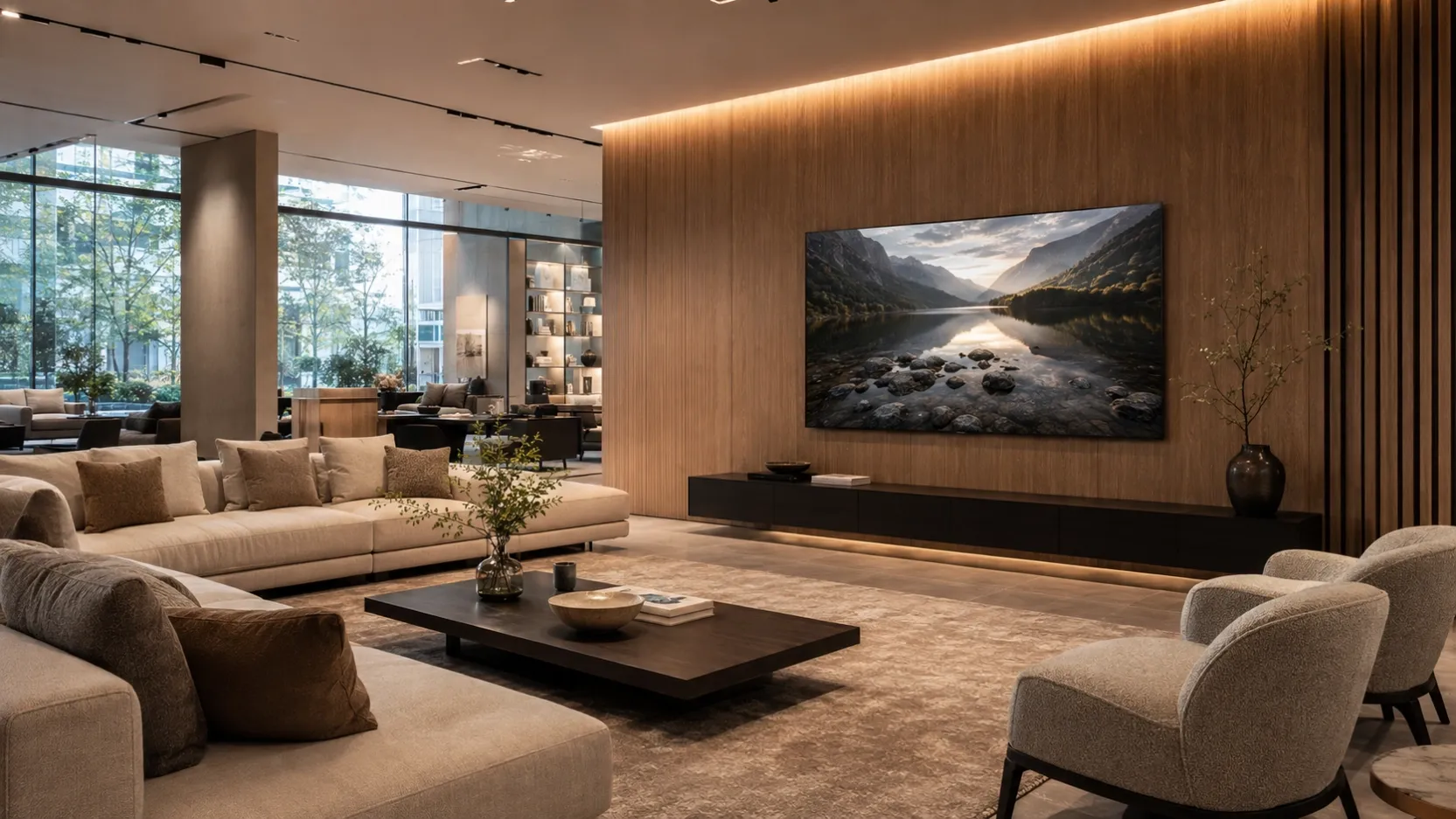
Multi-Store Showroom Deployment Guide: Standardizing Prop Electronics Across Furniture Retail Networks
A single furniture showroom can solve display problems store by store.
A retail network cannot.
Once the same room setting needs to be reproduced across 20, 100, 500 or even 1,000 locations, every small product decision becomes an operational decision.
The TV size has to remain consistent.
The laptop finish has to match the approved concept.
Screen graphics need to be repeatable.
Packaging needs to survive redistribution.
Stores need to know what goes where.
Replacement orders need to match what was approved months earlier.
This is why prop electronics for large furniture retailers should not be treated simply as decorative accessories.
They should be treated as part of a repeatable showroom display system.
For Procurement, Visual Merchandising, Store Planning and Retail Operations teams, the real question is no longer:
“Which dummy TV should we buy?”
It becomes:
“How do we approve one display standard and reproduce it reliably across an entire store network?”
This guide explains how to build that system.
1. Why Functional Electronics Become Difficult at Scale
Using a real television or laptop in a one-room setting may appear straightforward.
Across a large retail network, however, functional electronics introduce additional operational requirements that have little to do with selling furniture.
Power and cable management
Functional electronics require access to power, cables, adapters and sometimes additional cable-routing work.
That limits where displays can be positioned and can create unnecessary visual clutter around media units, desks and bedroom settings.
Non-functional display electronics allow visual merchandising teams to focus on composition rather than electrical infrastructure.
Store-level maintenance
Real screens may require:
- power management;
- software updates;
- remote controls;
- chargers and adapters;
- troubleshooting;
- replacement after hardware failure;
- additional store-level instructions.
For a product whose primary purpose is to complete a room setting, that creates unnecessary operational work.
Theft and damage exposure
Functional electronics carry resale value.
In open furniture showrooms, model homes and other unattended display environments, this can introduce additional security and shrinkage concerns.
Non-functional props generally reduce that exposure because their purpose and value are tied to display rather than consumer use.
Handling and transportation
Real TVs, laptops and other electronics are designed as functioning consumer products.
Display props can instead be engineered around staging requirements such as:
- lower weight;
- simpler handling;
- wire-free presentation;
- easier repositioning;
- repeat display use.
Across a large rollout, these differences can become meaningful operational advantages.
2. The Goal Is Not Simply “Dummy Electronics”
The objective of a multi-store program should not be to replace real electronics with cheap replicas.
The objective is to establish an approved display standard.
A good showroom prop needs to perform visually in the environment where customers actually see it.
Important factors include:
Realistic proportions
The product should occupy the visual space expected from the corresponding electronic device.
For example, the relationship between a TV, media unit, sofa and wall should feel natural.
Appropriate finishes
Gloss, matte treatment, bezel appearance and surface finish influence how convincing a prop looks under showroom lighting.
Display-ready screen presentation
A blank black rectangle may technically represent a television, but it may not support the lifestyle story the room is trying to communicate.
Where appropriate, screen graphics can help reinforce the visual concept.
Installation flexibility
Depending on the model and project, furniture retailers may require:
- tabletop presentation;
- wall-mounted presentation;
- bedroom settings;
- living-room displays;
- executive-office environments;
- media rooms.
The approved product standard should reflect how the display will actually be used.
For the broader product philosophy behind this approach, see The 1:1 Standard: Prop Electronics Guide.
3. Start With a Pilot, Then Build the Standard
For large furniture groups, one of the safest approaches is:
Sample → Pilot → Approval → Standardization → Rollout → Repeat Supply
Do not begin by sending hundreds of units to multiple stores before the display standard has been validated.
Start with a controlled test.
A pilot can confirm:
- product size;
- color and finish;
- visual realism;
- mounting method;
- screen artwork;
- packaging;
- store-level handling;
- merchandising fit.
Once the sample or pilot store is approved, document that configuration.
That approved configuration becomes the reference for the wider rollout.
This dramatically reduces the risk of each store interpreting the original concept differently.
4. Create an Approved Product Matrix
A multi-store project normally benefits from a simple approved-product matrix.
For example:
Display Environment | Suggested Product Type | Key Decision |
|---|---|---|
Main living room | Prop TV | Size, mounting, screen graphic |
Bedroom | Prop TV | Scale relative to room setting |
Home office | Prop Laptop / AIO | Finish and desk proportion |
Bedside / smart-home scene | Prop Tablet / Phone | Size and placement |
Media/gaming room | Prop Game Console | Product combination |
Executive workspace | Laptop / AIO | Finish and visual hierarchy |
The point is not to create unnecessary complexity.
It is to reduce variation.
If every store manager independently chooses a different model, size or finish, the retail group loses visual consistency and repeat-order efficiency.
5. Standardize More Than the Product
A proper rollout specification should record more than a product name.
For each approved display item, consider documenting:
- product reference;
- size;
- finish or color;
- screen graphic;
- mounting or placement method;
- packaging reference;
- accessories included;
- carton identification;
- store or region allocation;
- reorder reference.
For a TV program, this might mean defining a small group of approved sizes instead of letting individual stores choose freely.
For example:
Primary living-room displays
→ larger approved TV sizes
Bedroom and compact settings
→ smaller approved TV sizes
Premium / flagship environments
→ larger-format visual anchors
The exact mix should follow the furniture concept, not simply the electronics category.
6. Multi-Store Rollouts Need a Packaging Strategy
Packaging is often underestimated during supplier selection.
For a single sample, packaging only needs to get one item to one destination safely.
For a multi-store rollout, packaging becomes part of the operating system.
Procurement teams should consider:
- carton dimensions;
- internal protection;
- identification by product;
- identification by size or finish;
- store allocation;
- palletization;
- warehouse storage;
- domestic redistribution;
- repeat-order consistency.
A lighter product is useful only if the packaging is also practical.
Good packaging should balance:
Protection + handling efficiency + identification + repeatability
7. Choose the Right Distribution Model
There is no single distribution model that works for every furniture group.
The supply plan should reflect the retailer's own logistics network.
Central Distribution Centre
Products are delivered to one central warehouse and redistributed internally.
This may work well when the retailer already has an established domestic distribution network.
The supplier may need to support:
- consolidated shipments;
- clear carton identification;
- SKU-level packing lists;
- store allocation information;
- packaging suitable for a second domestic movement.
Regional Distribution Centres
Large retail groups may divide inventory among several regional hubs.
This requires tighter control of:
- quantities by region;
- shipment schedules;
- labeling;
- product references;
- documentation.
Direct-to-Store Delivery
Some programs require products to move directly to individual stores.
In this model, clear labeling and store-level instructions become more important because headquarters may not inspect every unit before installation.
For deeper planning around international shipping and receiving, see Global Logistics for Prop Devices.
8. Lightweight Matters Because Handling Happens Repeatedly
Weight should not be viewed only as a freight specification.
A prop may be moved many times during its useful life.
It may be:
- received;
- unpacked;
- positioned;
- wall-mounted;
- moved during a showroom refresh;
- transferred to another vignette;
- stored;
- reused;
- redistributed to another location.
Across hundreds of stores, small handling inefficiencies become repeated operational costs.
This is why lightweight display construction can be valuable.
The relevant question is not simply:
“How much does the product weigh?”
A better question is:
“How easily can normal store teams work with this product throughout the display lifecycle?”
9. Evaluate Total Project Cost, Not Just Unit Price
The cheapest unit price does not automatically produce the lowest rollout cost.
A procurement team should evaluate several cost drivers together.
Cost Driver | Functional Electronics | Purpose-Built Display Props |
|---|---|---|
Product acquisition | Consumer-electronics pricing | Display-focused pricing |
Power infrastructure | May require power and cable planning | No operating power required for non-functional models |
Software / IT | May require updates or troubleshooting | No operating software |
Store handling | Designed as consumer electronics | Can be optimized for display handling |
Security exposure | Functional resale value | Lower functional resale value |
Repeat procurement | Consumer models may change frequently | Approved display specifications can be maintained |
Screen presentation | Depends on powered content | Can use predefined display graphics |
Rollout standardization | Consumer model cycles may vary | Can be planned around repeatable project specifications |
The exact financial difference will vary by project, product mix, shipping route and quantity.
For serious procurement decisions, request project-specific pricing rather than relying on generic savings percentages.
10. Build Reorderability Into the First Order
One of the most important questions for a retail chain is often overlooked:
What happens six months later when another 12 stores need the same display?
Multi-store supply should therefore be planned for repeat orders from the beginning.
The approved configuration should be easy to identify later.
Useful records include:
- product code;
- approved size;
- finish;
- screen artwork;
- mounting method;
- packaging specification;
- project reference.
This turns a one-time purchase into a repeatable procurement standard.
For large furniture retailers, that is often more valuable than optimizing the first shipment alone.
11. Customization Should Support Standardization
Customization is useful when it makes a retail program more consistent.
Depending on the product and project requirements, this may include:
- screen graphics;
- brand imagery;
- finishes;
- colors;
- packaging labels;
- project identification;
- store-specific allocation.
But customization should not create unnecessary complexity.
The goal is not to produce a different version for every location.
The goal is:
Create one approved system that can be reproduced across many locations.
12. Compliance Should Be Verified Project by Project
International furniture groups may have specific requirements relating to:
- materials;
- restricted substances;
- fire performance;
- packaging;
- sustainability;
- import documentation;
- commercial interior standards.
These requirements can vary by country, retailer and project.
Procurement teams should therefore ask suppliers which documentation is available for the exact products and materials being purchased.
Avoid assuming that one certification automatically applies to every model, market or installation environment.
For large programs, compliance requirements should be confirmed before mass production rather than after goods are ready to ship.
13. A Practical Multi-Store Procurement Checklist
Before approving a prop-electronics program, confirm the following.
Product
Which products are approved?
Which sizes and finishes?
Which screen graphics?
Which mounting methods?
Store Network
How many stores are involved?
Are they new stores, remodels or refreshes?
Will all locations use the same specification?
Samples
Who approves the sample?
Procurement?
Visual Merchandising?
Store Planning?
Design?
Packaging
How will products be protected?
How will cartons be identified?
Will products be redistributed after import?
Logistics
Central warehouse?
Regional hubs?
Direct to store?
Single shipment or phased rollout?
Installation
Who will unpack the products?
Who places or mounts them?
Are installation reference images needed?
Replenishment
How will stores reorder approved configurations?
Will additional store openings use the same standard?
14. The Real Value of a Rollout Standard
The strongest multi-store display programs are not built around one shipment.
They are built around repeatability.
A furniture retailer should be able to say:
“This is our approved living-room TV.”
“This is our approved home-office laptop.”
“This is the screen graphic.”
“This is how the product is packed.”
“This is how stores order replacements.”
“This is what the next 100 locations receive.”
When those decisions are documented and repeatable, prop electronics stop being miscellaneous showroom accessories.
They become part of the retail display infrastructure.
From One Pilot Store to Hundreds of Locations
Whether a project covers 10 stores, 100 stores or a much larger retail network, the principle remains the same:
Start with the right product.
Approve the specification.
Document the standard.
Build the logistics process.
Then scale.
For furniture retailers, visual merchandising teams and procurement departments, the best prop-electronics program is not simply the one that looks realistic on day one.
It is the one that can still be reproduced accurately when the next store opens months later.
That is the difference between buying display products and building a multi-store display standard.
Related Guides
The 1:1 Standard: Prop Electronics Guide
Understand the broader product and visual standards behind professional prop electronics.
Learn how bulk ordering, mixed-product supply, packaging and repeat procurement can be structured for large furniture retail projects.
Why Lightweight Display Electronics Matter in Multi-Store Rollouts
Learn why handling, packaging and store-level movement become strategic considerations as rollout scale increases.