
Buying Guides
How to Label Dummy TV Cartons for Multi-Store Deliveries | DummyDevices
Learn how to label dummy TV cartons for multi-store deliveries. Standardize product sizes, store IDs, carton numbers, quantities, and receiving information.
How to Estimate Mixed-Size Dummy TV Quantities for Furniture Showrooms
A practical quantity-planning guide for furniture retailers, procurement teams, and multi-store showroom projects.
When a furniture retailer plans to refresh several showrooms, purchasing dummy TVs is not simply a matter of multiplying the number of stores by one standard quantity.
Different stores may have different floor areas, room settings, media walls, and merchandising concepts. A flagship showroom may require several large-screen displays, while a compact store may need only a few carefully selected units.
The same project may also involve different screen sizes, existing display inventory, phased deliveries and future store openings.
Ordering too few units can delay showroom preparation. Ordering too many can create unnecessary inventory and storage costs.
The better approach is to estimate quantities by store type, display location and required screen size before requesting a bulk quotation.
This guide explains how to build a practical mixed-size dummy TV quantity plan for furniture showrooms.
1. Start With the Number of Actual Display Locations
The first step is to count the display locations that genuinely require a dummy TV.
Do not begin with the total number of stores alone.
A furniture showroom may contain several living-room settings, each with a different media cabinet or wall display. Another store may have only one main living-room display.
Create an initial list of the locations where a prop TV is required.
Typical display locations include:
- Main living-room settings
- Secondary living-room displays
- Media-wall presentations
- Apartment and model-home settings
- Feature furniture displays
- Selected exhibition or promotional areas
For each location, record whether a dummy TV is required and whether the display will use a tabletop or wall-mounted configuration.
Also identify locations where an existing display TV can be reused.
This prevents the project from counting every room setting as a new purchase requirement.
2. Classify Stores by Their Display Requirements
Large retail networks rarely have identical showrooms.
For planning purposes, stores can be grouped according to their actual display requirements.
For example:
Flagship showrooms
These may have larger floor areas, more room settings, and additional feature displays.
Standard showrooms
These typically follow the retailer's regular room-setting and merchandising format.
Compact showrooms
These may use fewer room settings and more selective product displays.
These categories are examples, not universal retail standards. Each retailer should define its own store types based on floor plans and merchandising requirements.
A useful planning table is:
Store Type | Number of Stores | Display Settings per Store | Planning Notes |
|---|---|---|---|
Flagship | To confirm | To confirm | Larger and more varied displays |
Standard | To confirm | To confirm | Regular showroom format |
Compact | To confirm | To confirm | Fewer display locations |
This classification makes it easier to estimate quantities without assuming that every store needs the same product mix.
3. Select Screen Sizes by Display Location
After identifying the display locations, determine which screen size is appropriate for each setting.
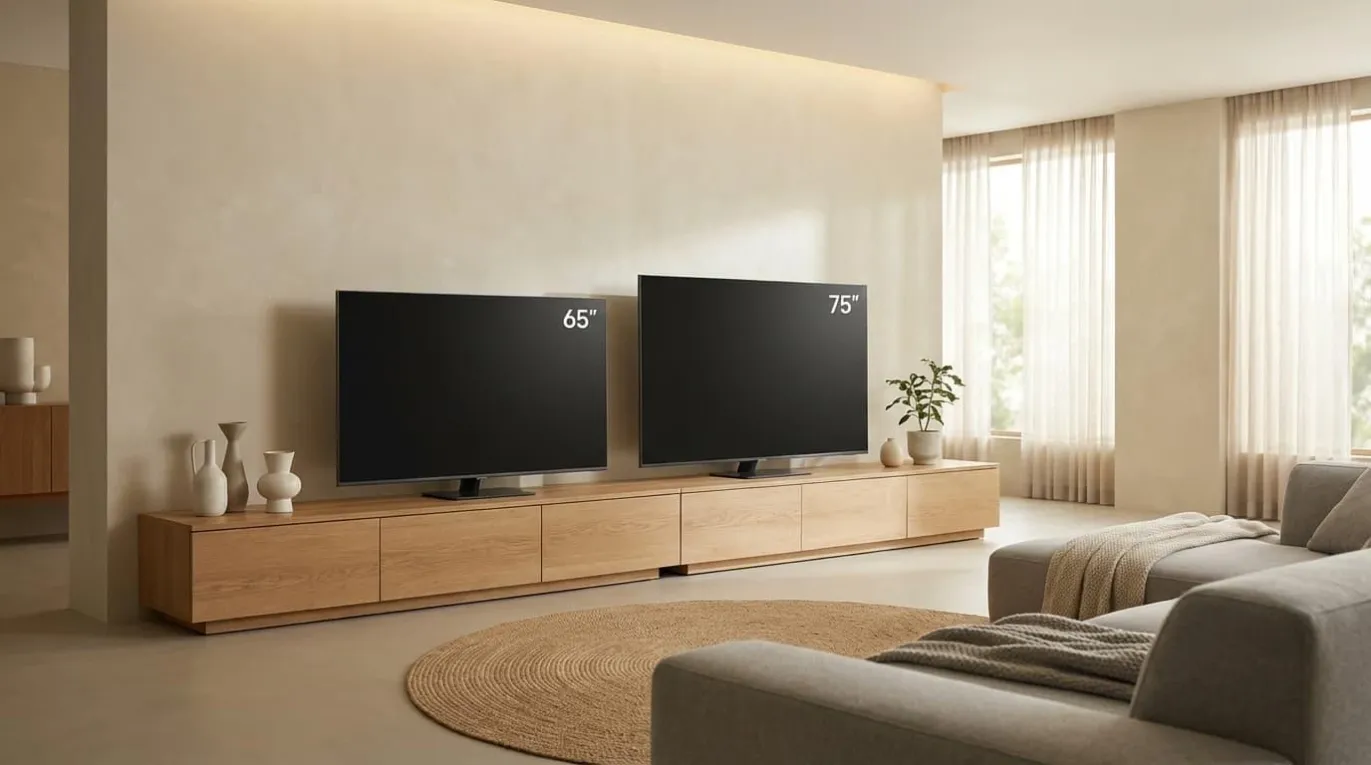
Common sizes to evaluate for furniture showroom applications include 55-inch, 65-inch, and 75-inch dummy TVs. Larger or smaller options may also be appropriate depending on the room design and product range.
Consider the following factors:
- Width of the media cabinet
- Available wall space
- Overall room proportions
- Position of surrounding furniture
- Intended visual focal point
- Wall-mounted or tabletop placement
- Approved merchandising design
A larger screen is not automatically better.
The objective is to achieve a balanced room presentation in which the dummy TV complements the furniture rather than overwhelming it.
For example, a retailer may use a 55-inch model in a compact living-room setting, a 65-inch model in a standard room, and a 75-inch model in a larger feature display.
These are planning examples only. Final selection should be based on the actual room dimensions and approved product specifications.
4. Build a Quantity Matrix by Store Type and Screen Size
A quantity matrix is one of the most useful tools for mixed-size procurement.
Instead of recording only the total number of dummy TVs, list the quantity required for each screen size within each store type.
For example:
Store Type | 55-Inch | 65-Inch | 75-Inch | Total per Store |
|---|---|---|---|---|
Flagship | 2 | 4 | 2 | 8 |
Standard | 1 | 3 | 1 | 5 |
Compact | 1 | 2 | 0 | 3 |
Illustrative planning assumptions only. Actual quantities must be determined from the retailer's approved floor plans and display standards.
This matrix helps procurement teams answer three important questions:
- How many units are needed for each store format?
- Which screen sizes account for the largest part of the order?
- How will the product mix change if the number of stores changes?
It also gives suppliers a clearer basis for preparing size-specific quotations.
5. Calculate the Total Quantity for Each Screen Size
Once the store types and product mix have been agreed, calculate the total requirement.
The basic formula is:
Total quantity by size = Store count × Quantity per store
For a project with several store types, calculate each group separately and then add the results.
For example, consider an illustrative retail project with:
- 2 flagship showrooms
- 6 standard showrooms
- 4 compact showrooms
Using the sample quantity matrix above:
Screen Size | Flagship Stores | Standard Stores | Compact Stores | Total |
|---|---|---|---|---|
55-Inch | 4 | 6 | 4 | 14 |
65-Inch | 8 | 18 | 8 | 34 |
75-Inch | 4 | 6 | 0 | 10 |
Total | 16 | 30 | 12 | 58 |
The figures are illustrative and are not actual customer order data.
The resulting plan contains 58 dummy TVs across three screen sizes.
Notice that the project does not simply order the same number of units for every store. The quantity reflects the different display requirements of each store type.
This is a more reliable starting point for bulk procurement than using a single average quantity per store.
6. Separate New Purchases From Existing Display Inventory
Before finalizing the order, review the retailer's existing dummy TV inventory.
Some stores may already have usable display units. Others may require complete replacement because of showroom renovations or changes to the merchandising concept.
Separate the inventory into three groups:
Usable existing units
Products that meet the approved display specification and can be reused.
Replacement units
Products that should be replaced because of damage, outdated appearance, or a change in the required size or configuration.
New display requirements
Additional units needed for new room settings, store openings, or expanded showroom areas.
The net purchasing requirement can be calculated as:
New purchase quantity = Planned display requirement − Usable existing inventory + Approved replacement requirement
Make sure the existing inventory is counted by screen size and configuration.
A usable 55-inch dummy TV does not automatically replace a requirement for a 65-inch display.
7. Use a Pilot Store to Validate the Quantity Plan
For a large rollout, it is useful to test the proposed product mix in one representative showroom before confirming the full order.
A pilot store can help the team review:
- Whether the selected sizes suit the furniture arrangements
- Whether the screen proportions look correct
- Whether the proposed display method is practical
- Whether the approved frame and screen appearance match the concept
- Whether the installation and receiving process works as expected
If the pilot reveals that a particular room setting needs a different screen size, update the quantity matrix before ordering for the remaining stores.
This reduces the risk of repeating an incorrect assumption across an entire retail network.
8. Plan an Appropriate Spare and Replacement Allowance
Some projects may require additional units beyond the immediate display requirement.
The appropriate allowance depends on the project.
Consider:
- Number of stores
- Total product quantity
- Number of delivery phases
- Distance between distribution locations
- Expected replacement needs
- Availability of future replenishment
- Lead time for additional orders
Do not automatically add an arbitrary percentage to every product size.
Instead, agree on the spare quantity with the procurement and operations teams.
Where practical, calculate spare requirements separately by screen size. A project may need an additional 65-inch unit but not necessarily another 75-inch unit.
Keep spare inventory distinct from the quantities allocated to individual stores.
9. Divide the Order Into Delivery Phases
Large showroom projects may not require all products at the same time.
For example, a furniture retailer may have:
- A pilot store phase
- An initial group of store renovations
- A regional rollout
- New store openings
- Future replenishment orders
A phased purchasing plan helps align product supply with the actual store schedule.
Use a delivery matrix such as:
Phase | Store Group | 55-Inch | 65-Inch | 75-Inch | Target Arrival |
|---|---|---|---|---|---|
Phase 1 | Pilot stores | To confirm | To confirm | To confirm | To confirm |
Phase 2 | Regional group A | To confirm | To confirm | To confirm | To confirm |
Phase 3 | Regional group B | To confirm | To confirm | To confirm | To confirm |
Phase 4 | Future openings | To confirm | To confirm | To confirm | To confirm |
The final quantities should be reconciled with the approved store allocation and purchasing schedule.
For international orders, also consider production lead time, freight arrangements, receiving capacity and the destination warehouse.
10. Prepare a Supplier-Ready Quantity Schedule
Once the calculation is complete, convert the planning matrix into a clear supplier schedule.
A useful RFQ quantity schedule should include:
- Product name and reference
- Screen size
- Required configuration
- Quantity by size
- Sample requirements
- Delivery phase
- Destination
- Target arrival date
- Packaging requirements
- Any approved spare quantity
For example:
Product | Configuration | Phase 1 | Phase 2 | Phase 3 | Total |
|---|---|---|---|---|---|
Dummy TV 55-Inch | Approved finish | To confirm | To confirm | To confirm | To confirm |
Dummy TV 65-Inch | Approved finish | To confirm | To confirm | To confirm | To confirm |
Dummy TV 75-Inch | Approved finish | To confirm | To confirm | To confirm | To confirm |
This makes it easier for suppliers to quote each size separately and identify the quantities required for each shipment.
For a more complete purchasing request, see our guide to preparing a Dummy TV RFQ for Furniture Showroom Buyers.
11. Avoid These Common Quantity-Planning Mistakes
Even a straightforward purchasing project can become difficult when quantities are based on incomplete information.
Watch out for the following mistakes:
Using one fixed quantity for every store
Different showroom formats may have different numbers of room settings.
Ordering only by total unit count
A total of 100 units is not useful unless the buyer knows how many are required in each screen size.
Ignoring existing inventory
Usable products may reduce the actual new purchasing requirement.
Selecting sizes before reviewing the floor plan
The product mix should follow the approved room-setting design.
Adding unapproved spare quantities
Excess inventory can increase purchasing and storage costs without improving the rollout.
Ignoring delivery phases
A single shipment may not match the timing or receiving capacity of the store network.
Changing specifications after bulk approval
Uncontrolled changes can create inconsistent displays and complicate repeat orders.
A documented quantity matrix helps prevent these problems.
12. Use This Dummy TV Quantity Planning Template
The following template can be adapted for a furniture showroom project.
Project Information
- Company:
- Project name:
- Number of stores:
- Number of store types:
- Target rollout period:
- Main delivery destination:
Quantity Planning
Store Type | Store Count | 55-Inch per Store | 65-Inch per Store | 75-Inch per Store |
|---|---|---|---|---|
Flagship | | | | |
Standard | | | | |
Compact | | | | |
Inventory Adjustment
- Existing usable 55-inch units:
- Existing usable 65-inch units:
- Existing usable 75-inch units:
- Replacement quantities:
- Approved spare quantities:
Final Purchasing Requirement
- Total 55-inch units:
- Total 65-inch units:
- Total 75-inch units:
- Total units across all sizes:
- Required delivery phases:
- Destination and delivery schedule:
The final schedule should be reviewed by procurement, visual merchandising, and store operations before it is sent to the supplier.
From Quantity Planning to a Scalable Showroom Supply Program
For a single showroom, estimating dummy TV quantities may be a simple purchasing task.
For a large furniture retailer, it becomes part of a broader store planning and supply coordination process.
A consistent quantity matrix helps the company align product selection, sample approval, supplier quotations, warehouse allocation, and future replenishment.
At DummyDevices by YIJIA Props, we support B2B customers sourcing non-functional dummy TVs and display electronics for furniture showrooms, model homes and commercial staging projects.
Our focus is on helping buyers evaluate suitable product sizes and configurations for their display requirements, whether they are preparing one showroom or planning a multi-location rollout.
All quantities and product configurations should be confirmed against the buyer's approved display plan before bulk procurement.
Planning a Mixed-Size Dummy TV Order?
Share your estimated store count, room-setting requirements, preferred screen sizes, quantities, and delivery destinations.
Our team can review the project requirements and discuss suitable product configurations, sample evaluation, and bulk supply arrangements.
The right quantity is not simply the largest order. It is the product mix that matches the showroom plan, store schedule, and actual purchasing requirements.