Oct 5, 2026Showroom Design Tip
How Swappable Screen Graphics Help Standardize Showroom Branding Across Multiple Stores
How visual merchandising teams can use swappable screen graphics on supported prop devices to update campaigns, control artwork versions and keep showroom branding consistent across locations.
How Swappable Screen Graphics Help Standardize Showroom Branding Across Multiple Stores
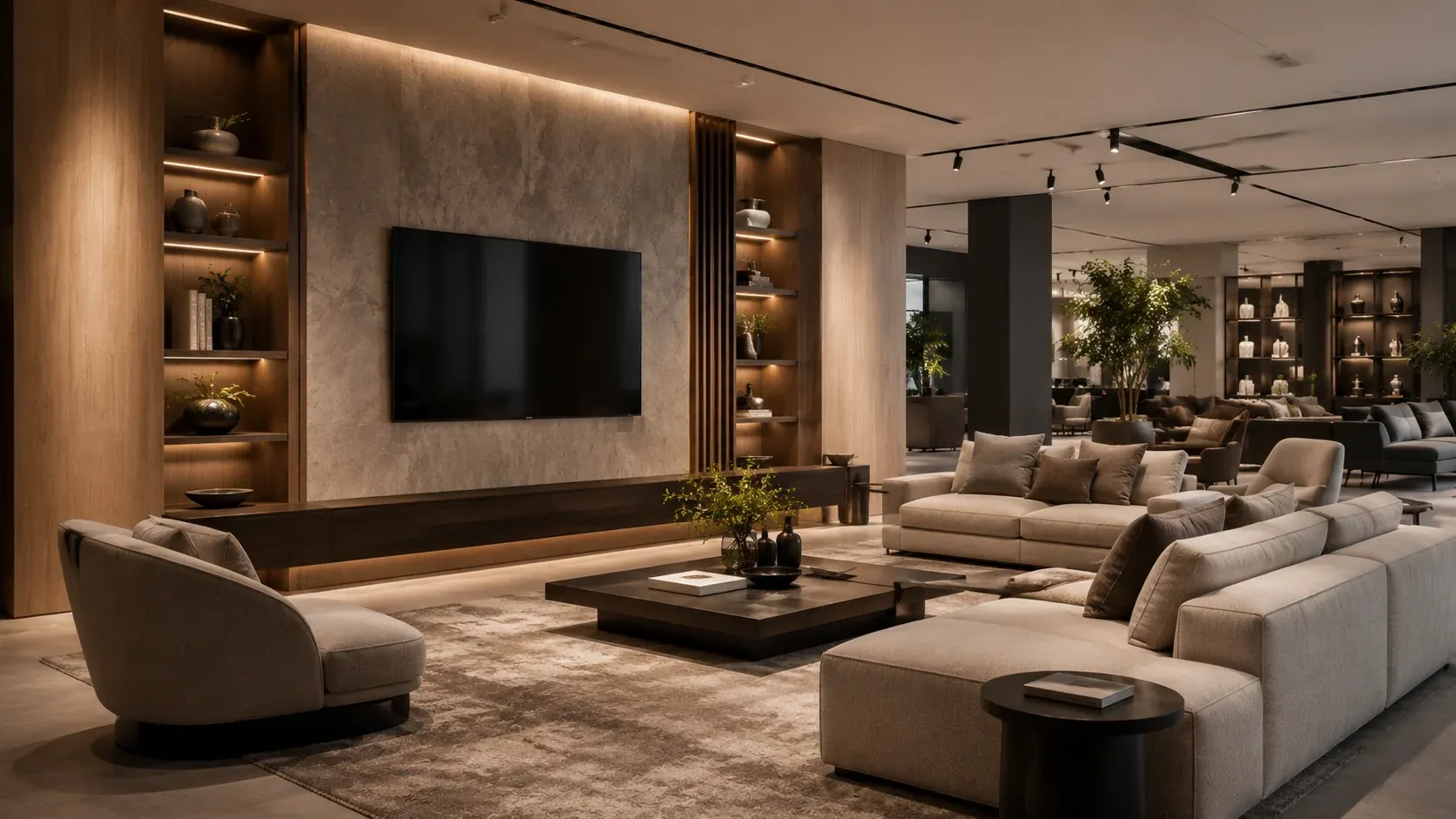
A display screen is one of the most visible surfaces in a staged room.
If the graphic becomes outdated, mismatched or inconsistent across stores, the entire scene can feel less controlled. Where the selected prop model supports replaceable or swappable screen graphics, that surface can become a reusable visual asset: the device remains in place while the displayed image changes for a new campaign, collection or room concept.
For multi-store visual merchandising teams, the value is not only creative flexibility. It is version control and repeatability.
The problem with fixed or generic screen visuals
A generic screen image may work when the display is first installed. Over time, several problems can appear.
Campaign changes
A new furniture collection may use a different visual theme, photography style or seasonal palette.
Regional differences
Stores in different markets may need different language, imagery or campaign references.
Brand inconsistency
If store teams select their own images independently, the chain can lose visual consistency.
Outdated graphics
An old image can make a newly refreshed room set feel dated even if the furniture itself is current.
The screen should therefore be treated as part of the merchandising system, not as an afterthought.
Where swappable graphics create value
Swappable graphics are useful only on prop models that are actually designed to support them. Always confirm compatibility before planning a campaign around the feature.
Where supported, possible applications include:
Prop TVs
The television often acts as the visual anchor in a living-room scene. Updating the image can change the mood of the entire media wall without replacing the prop TV.
Prop laptops
A laptop screen can support an office, home-study or branded workspace vignette. Different images may be used for corporate, lifestyle or campaign-specific settings.
Prop tablets
Tablets can display smart-home, hospitality or retail-themed graphics where the model allows screen-image customization.
Other prop displays
Any supported display surface can become part of the visual-branding system, but the method and artwork requirements must be confirmed product by product.
Create a screen artwork standard
The biggest risk in a multi-store program is not the ability to change graphics. It is allowing uncontrolled changes.
Head office should define an artwork standard.
Aspect ratio and dimensions
Specify the correct artwork dimensions for each supported model. Do not rely on store teams to crop images differently.
Safe area
Keep logos, text and important visual elements away from edges that may be covered or visually distorted.
File naming
Use a predictable system, for example:
`Campaign-Region-Device-Size-Version-Date`
This makes it easier to know which artwork is approved.
Version control
Only one current version should be considered active unless regional variants are intentional.
Approval owner
Define who signs off the final artwork: Brand, Visual Merchandising, Store Design or another team.
Build a multi-store deployment workflow
A simple workflow can prevent most artwork confusion.
Step 1 — Head office approves the master artwork
The brand or visual team approves the campaign image for each supported device type.
Step 2 — Supplier confirms fit
The supplier confirms that the artwork is suitable for the selected prop model and identifies any required adjustments.
Step 3 — Create store kits
Graphics can be grouped with the relevant products or supplied as replacement sets depending on the project.
Step 4 — Distribute by store or region
If regions require different artwork, label them clearly.
Step 5 — Record the active version
Maintain a simple artwork register, so stores know which visual should be installed.
Step 6 — Refresh without replacing the device
When the next campaign arrives, update the graphic where the hardware supports it.
This process works especially well when combined with the broader principles in How Furniture Chains Standardize Multi-Store Displays.
Balance brand consistency with local flexibility
Global consistency does not always mean every store must show the exact same image.
A practical structure can include:
- one global master style;
- approved regional variants;
- language-specific versions;
- campaign-specific imagery;
- strict control over logo placement, typography and visual tone.
The system should make local adaptation possible without allowing the brand presentation to fragment.
What to confirm before ordering
Before assuming that screen graphics can be changed, ask:
1. Which prop models support replaceable or customizable graphics?
2. What artwork dimensions are required?
3. What file type should be supplied?
4. How is the graphic installed or replaced?
5. Can spare graphics be included?
6. Can different images be packed by store or region?
7. What quantities are needed by version?
8. Who approves the final artwork?
If the display also requires a different physical finish, size, or configuration, review Custom vs Standard Display Props before finalizing the brief.
Use screen graphics as part of product standardization
The strongest multi-store programs standardize both the hardware and the visible content.
For a prop TV, that may mean:
- approved TV size;
- wall or tabletop placement;
- approved screen image;
- image version code;
- replacement-graphic reference;
- store or region assignment.
For a prop laptop, it may include:
- silver, black or white model;
- desk placement;
- approved screen image;
- campaign version.
See Professional Prop TVs and Professional Prop Laptops when deciding which display format fits the room.
Next step: test one campaign image
Before designing a complete multi-store artwork system, start with one real campaign image.
Choose the prop model you are considering and send the image to the supplier. Confirm whether the artwork can be adapted to that model and what production or replacement method is supported.
That small test is more useful than discussing “custom screens” in the abstract—and it creates a clear path from creative concept to repeatable rollout.